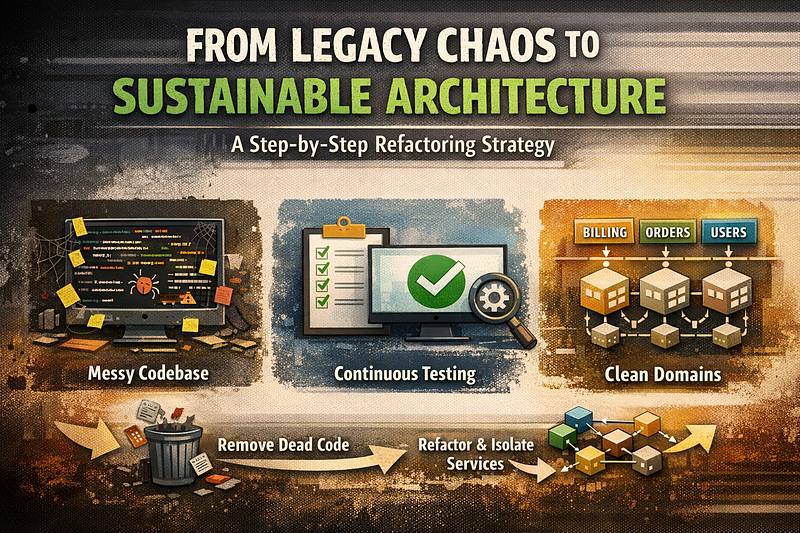
Legacy systems are rarely “just bad code”. Usually, they’re the result of years of rushed decisions, unclear requirements, and survival‑mode delivery.
I’ve faced this situation more than once, and developed a practical methodology that lets you improve the system while still shipping features — without a big‑bang rewrite.
The three core problems
In troubled projects, the same three issues appear again and again:
- Business logic is complex and undocumented You can’t be sure if a “better” solution is actually correct, because nobody fully understands the current behaviour.
- The team is under pressure and chooses the easiest path Deadlines dominate. Developers implement quick fixes instead of proper solutions, increasing entropy over time.
- Domain logic is scattered across the codebase There is no clear separation of concerns. The same domain is implemented in multiple places, in different ways.
You can’t fix this with a single refactor. You need a strategy.
Step 1: Enforce integration tests in CI
The first move is simple but non‑negotiable:
- Introduce integration tests and make them part of the CI pipeline.
- The pipeline must fail if tests fail.
At this stage, don’t aim for perfect coverage. Your goal is to freeze current behaviour so you can safely change internals later.
Focus on functional/integration tests, not unit tests. Unit tests are too tied to current class structure, which you plan to change.
Step 2: Require coverage for all new code
Don’t try to cover the entire legacy system at once — that’s a trap.
Instead:
- Introduce a rule: all new classes (or significantly new logic) must have at least 80% coverage.
- Keep a file like
legacy-classes.txtwith all existing uncovered classes. - Configure your coverage tool to ignore those legacy classes for now.
This way:
- Legacy code is tolerated but contained.
- New code is held to a higher standard.
- Over time, the “good” part of the system grows.
Step 3: Touch legacy? Then test it.
Add one more rule for the team —if you modify legacy code, you must:
- remove the affected classes from
legacy-classes.txt - add proper tests for them.
This gradually converts legacy areas into tested, safer zones. You don’t stop feature work — you just attach improvement to change.
After a few months, you’ll notice something important: your coverage and confidence have increased without a big refactor.
Step 4: Identify and remove dead code
Once you have better test coverage and more confidence, start cleaning up.
A simple approach:
- Mark suspected legacy code as
@Deprecated. - Add an aspect or interceptor that logs every call to deprecated methods in production.
- Wait a couple of months and analyse the logs.
If a deprecated method hasn’t been called in production for a long time, it’s probably dead. Review it carefully — and then remove it.
This reduces noise and makes the remaining code easier to reason about.
Step 5: Group logic by domain
Now that the system is safer and cleaner, you can start addressing the real problem: domain logic scattered everywhere.
Steps:
- Identify the domains in your system (billing, users, orders, CRM, etc.).
- Move domain logic into dedicated modules or packages.
- Keep the behaviour the same — your integration tests should still pass.
You don’t need heavy refactoring yet. Just physically group related logic so each domain has a clear “home”.
Domain‑Driven Design (DDD) concepts help here, but you don’t need to implement full DDD to benefit from bounded contexts and clear boundaries.
Step 6: Isolate data access per domain
Once domains are clearer, start isolating data access:
- Create domain services that own the logic for a specific domain.
- Each service uses its own repositories and exposes domain models, not raw entities.
- Keep SQL queries inside the domain boundary, not spread across controllers and helpers.
At this stage, you may hit performance issues. That’s normal.
Tactics:
- Keep your database normalized as a baseline.
- Where performance is critical, introduce denormalized read models or NoSQL stores for specific use cases.
- Ensure denormalized structures are updated within the same transaction or via reliable async mechanisms.
The key is to understand the trade‑offs, not blindly optimize.
Step 7: Refine service boundaries and APIs
Now your services are more coherent. Time to make them consistent:
- Each service should own one domain model and work with one type of domain DTO.
- Controllers, listeners, and tasks handle API‑level concerns (validation, mapping, HTTP, messaging).
- Services focus on business rules, not transport details.
Your controllers may look a bit messy for a while. That’s acceptable. The important part is that business logic is now in one place.
At this point, you can start documenting the core flows and validating them with product owners. You’re no longer guessing — you have structure.
Step 8: Evolve your public API
As your internal model stabilizes, you’ll notice:
- some APIs are redundant,
- some can be unified,
- some no longer reflect the real domain.
Instead of breaking clients, introduce API versioning:
- Design a cleaner v2 API aligned with your new domain model.
- Keep v1 for backward compatibility for a while.
- Gradually migrate consumers to v2.
This lets you modernize without forcing a painful, immediate migration.
Step 9: Extract microservices only when ready
Only now — after:
- tests are in place,
- dead code is removed,
- domains are clear,
- services are cohesive
…does it make sense to talk about microservices.
You can:
- identify services that are truly independent,
- give them their own database,
- migrate them out carefully.
There will still be risks: network latency, distributed transactions, operational overhead. But now you’re moving from a position of understanding, not chaos.
Final thought
This methodology is not about hero refactors or perfect architecture. It’s about creating safety first, then improving structure step by step, while the business keeps moving.